Feeder cameras vs. a separate pet camera: what worked in our home
Our experience with Sakura’s elevated camera feeder, April’s MUBBI feeder, and a GALAYOU room camera: meal views, cleaning, outage limits, and subscriptions.
 By Juni B · Personal story · 14 min read
For our home, camera feeders have been the more useful everyday combination: scheduled meals plus a view of Sakura and April near their food. A separate GALAYOU camera gave us a broader room view. My mom gifted us the feeders, and this is my experience with those exact setups, including the cleaning, camera angles, and things I still check myself.
At a glance: the options in this guide
Full comparison ↓
15L elevated automatic dog feeder, black camera setup
Our scheduled dry-food meals and a view of Sakura at the bowl
Check availability ↗
MUBBI 7L / 29-cup automatic cat feeder with camera
April’s dry-food schedule and a fixed view toward her bowl
Check availability ↗
GALAYOU G2 indoor camera
A broader view of resting places and the room around the pets
Check availability ↗
I mainly want to know what my pets are doing, especially around mealtime. I am less interested in recording every corner of the apartment. That is why our automatic feeders with cameras ended up being such a good fit. They help keep meals on schedule, and I can open the app to see the feeding area when I am away.
My mom gifted us both feeders. We chose the raised option for Sakura and felt the extra cost was worthwhile for our setup. April has her own MUBBI feeder, which is convenient for a cat whose enthusiasm for food could power a small household. We also used a separate GALAYOU indoor camera before settling into our current routine.
These are my household observations, not a controlled comparison or a promise that every version behaves the same way. I have kept the original screenshots below, including their timestamps and framing, so you can see what the cameras actually showed us.
Sakura’s feeder: meals, a movable camera, and a lot of side-eye
Sakura uses our black 15L elevated automatic feeder with a camera. I like being able to move the camera up and down to adjust the view. There is a version without a camera too, so I would double-check the selected configuration rather than shop by the large hopper alone. The links here are the exact listings I supplied for our devices.
The camera is close to the food, which is useful for seeing Sakura arrive at the bowl. It also means a large dog can fill the frame very quickly. Sakura is not especially interested in providing a flattering dinner portrait. April, on the other hand, has already found a way to appear on both feeders’ cameras.
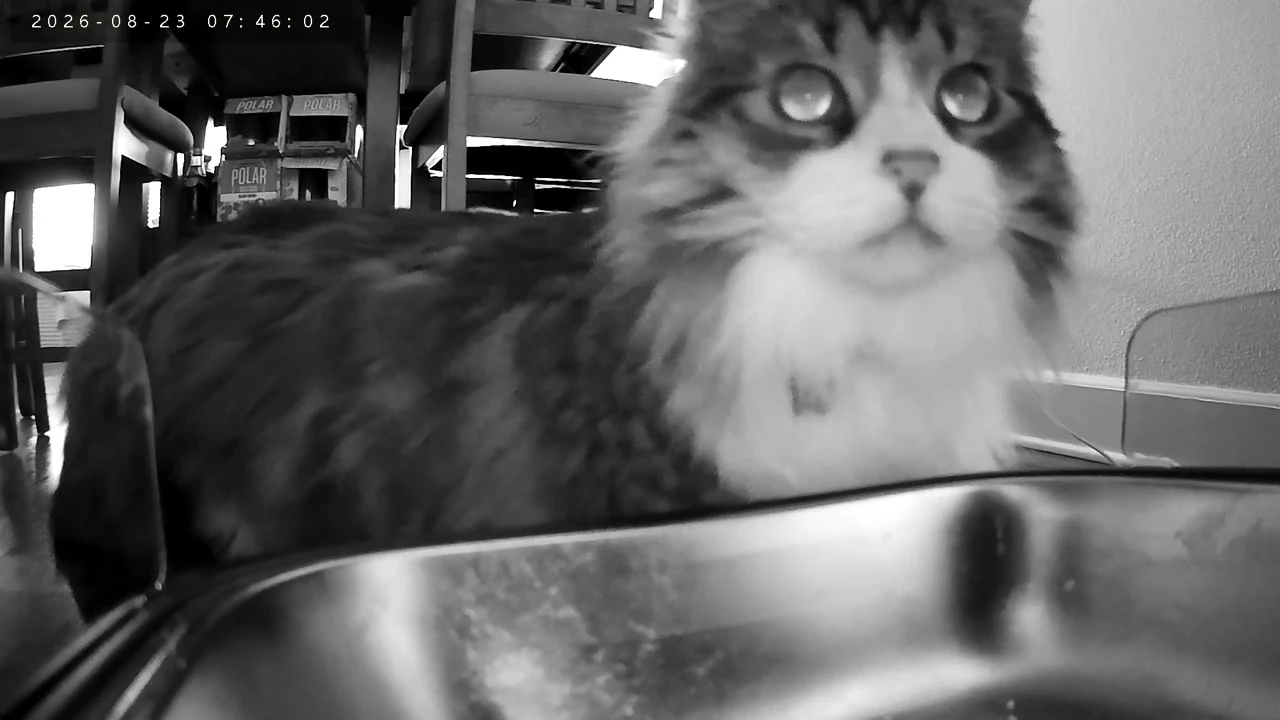
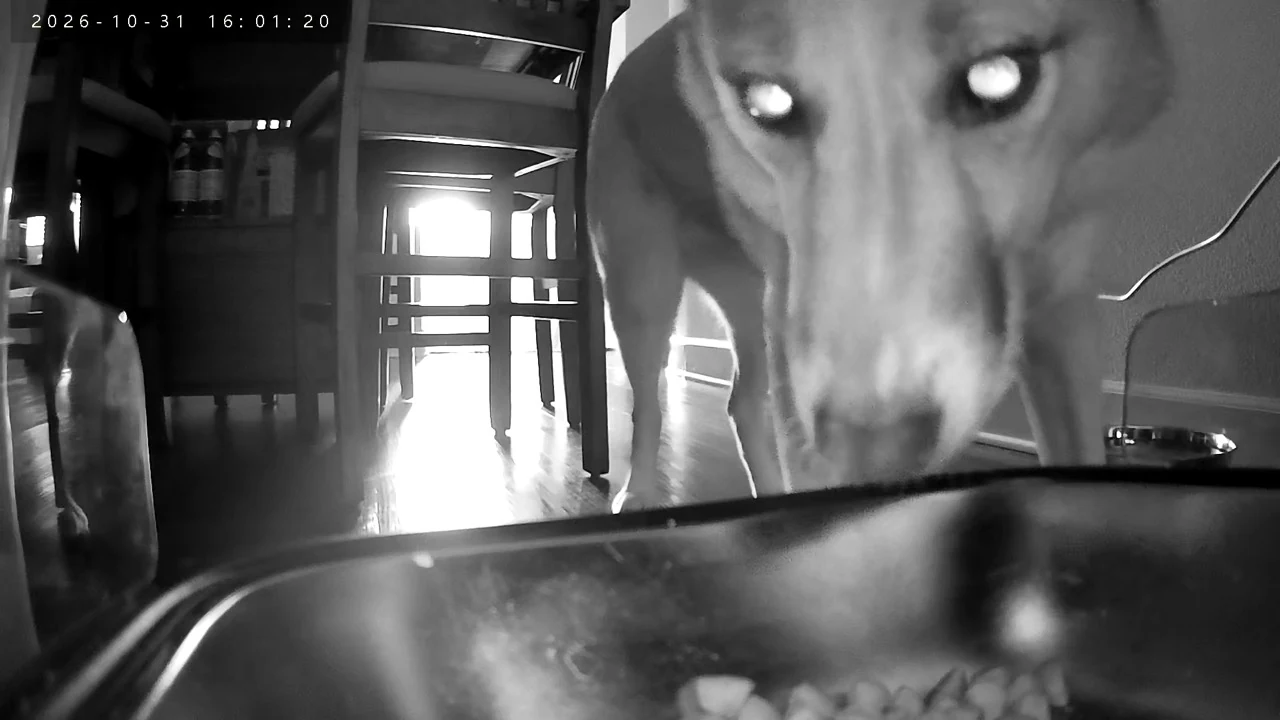
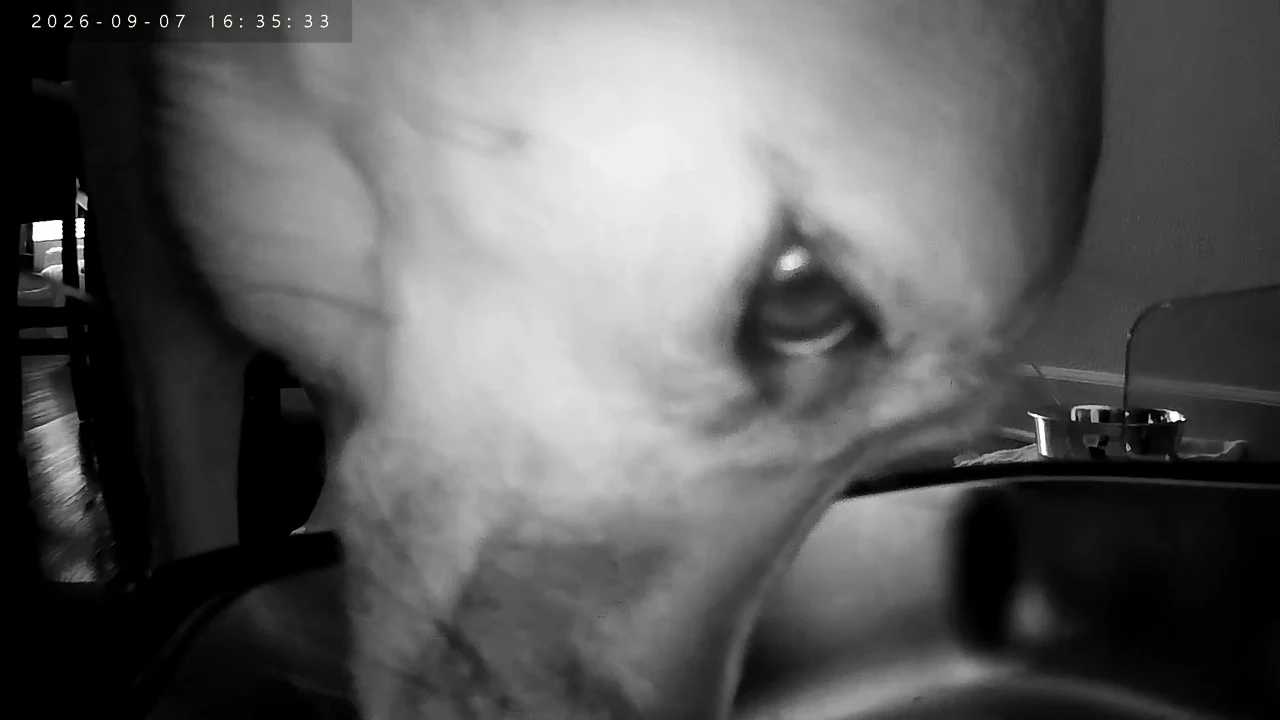
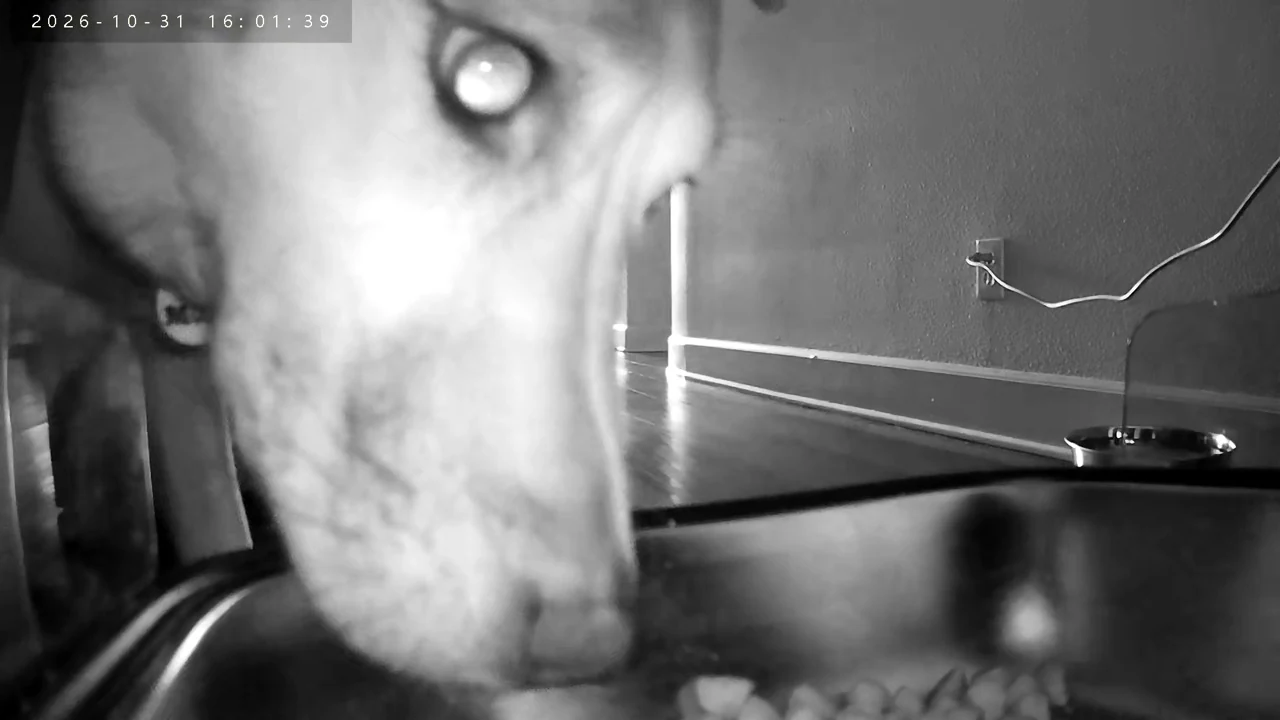
These first four captures are all from Sakura’s feeder. They are grayscale, even though some timestamps are during daylight. I suspect her position affects the light reaching the camera, but I have not tested that explanation. Both feeders have given us color and night-vision views in use; these examples show why I would check the actual image in the chosen feeding spot.
April’s MUBBI feeder: a locking lid and her own camera angle
April uses the white MUBBI 7L / 29-cup automatic feeder with a camera. The locking top is one of my favorite practical details because April is very food motivated. It gives us a more secure lid in everyday use, although I would not treat any feeder as impossible for a determined pet to disturb.
Unlike Sakura’s camera, I cannot tilt this one up and down. That has been fine in our location because it already gives us a useful shot of April and her bowl. Her daytime pictures are in color, and the later nighttime examples are grayscale. Night vision is helpful, but I would not choose either feeder expecting perfect detail in every lighting condition.
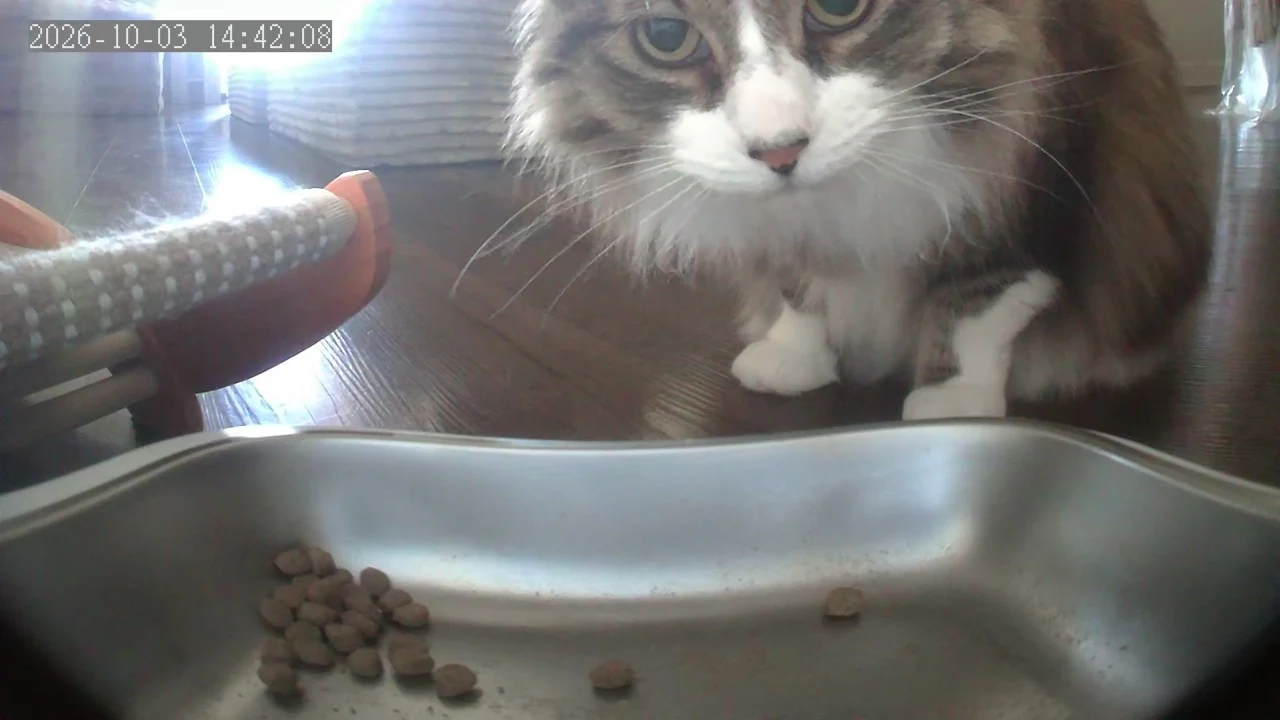
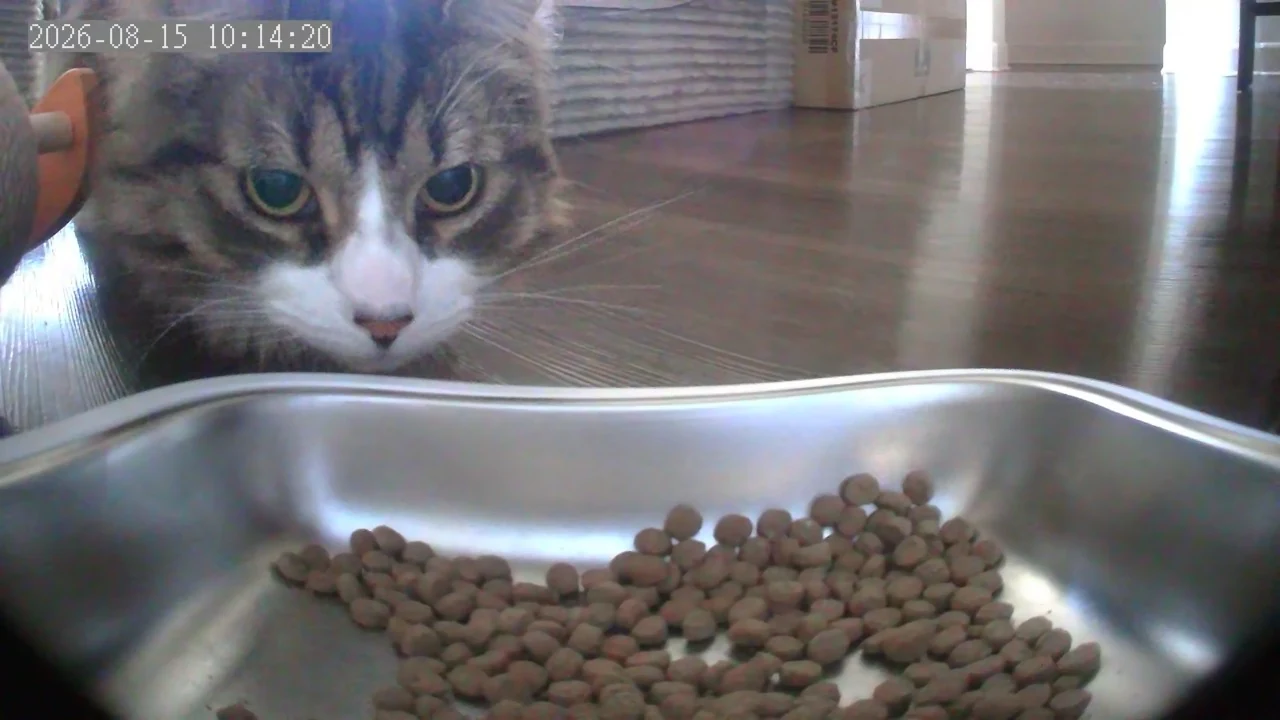
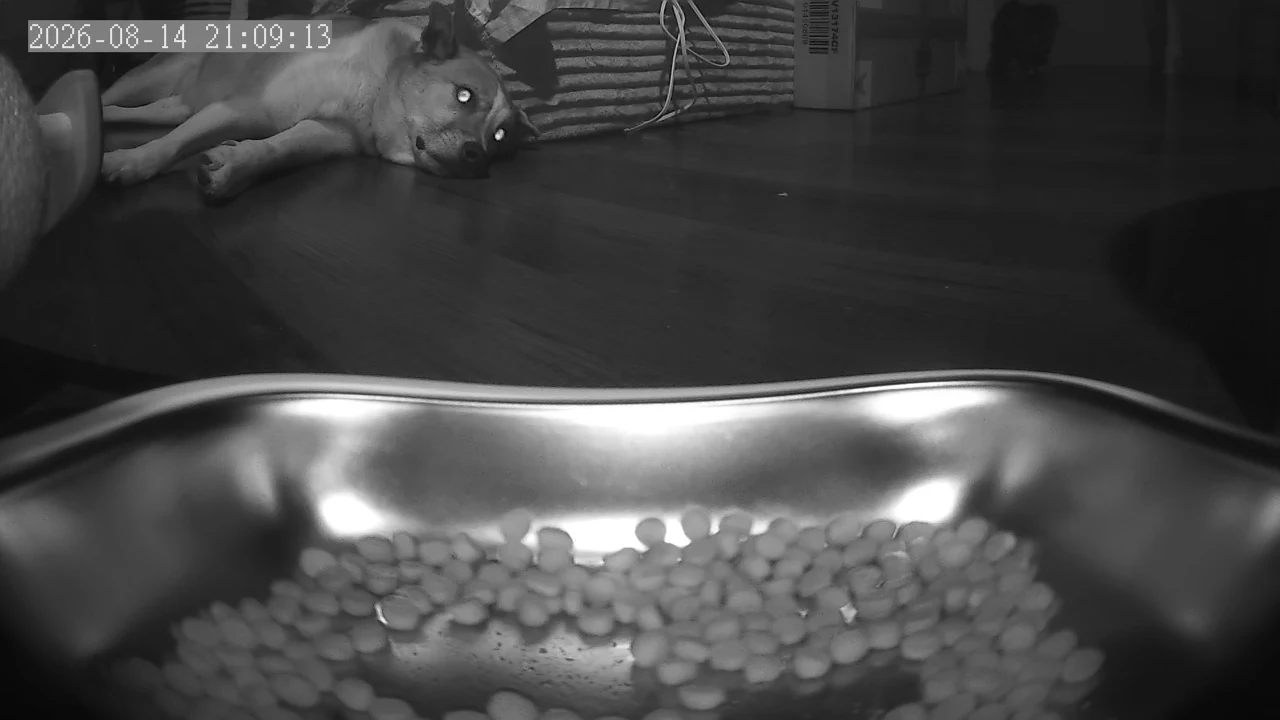
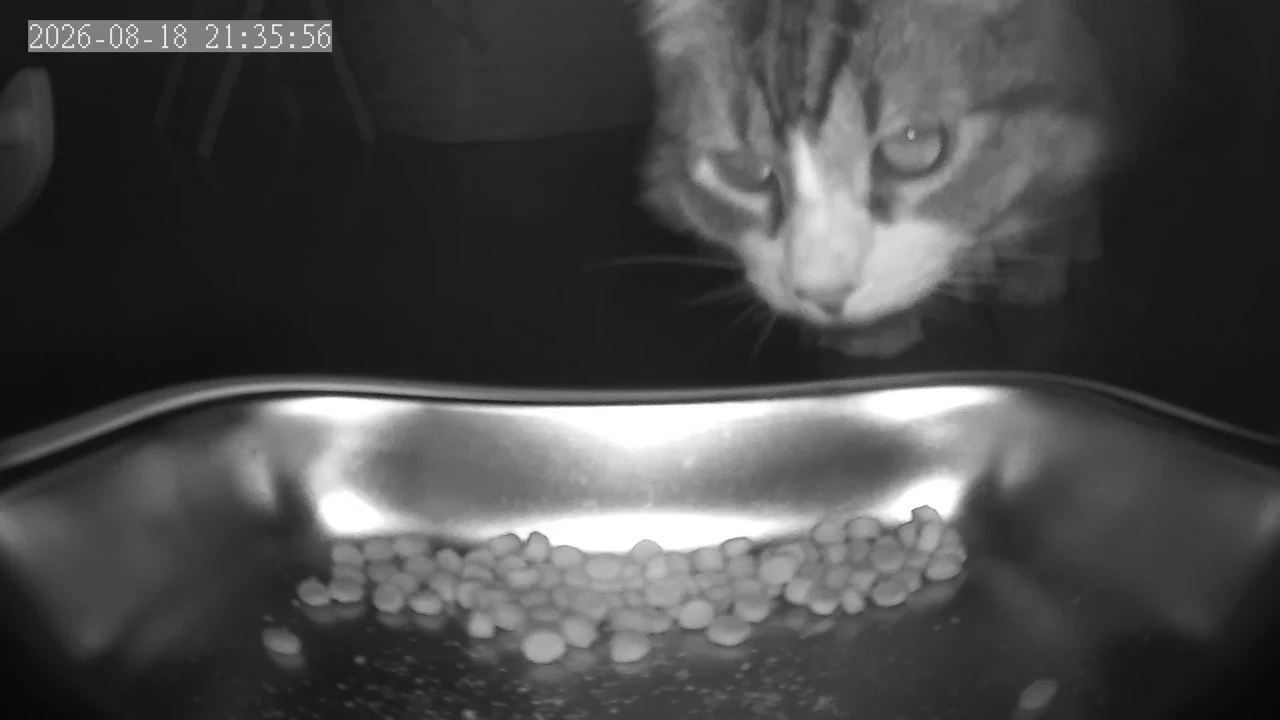
The third image in this group is still from April’s feeder, even though Sakura is the one resting behind the bowl. A camera showing the other pet is a reminder that a bowl view does not automatically identify who ate. For homes where food sharing is a concern, my separate-feeding guide is a useful companion.
The app features we actually use
Both feeders let us use live audio to listen and speak through the device. We can also record a sound or voice message to play at feeding time. I like having the option to check in from my phone rather than needing a second device just to hear what is happening near the bowl.
In our use, both send motion notifications with small, timestamped snapshots. I can scroll back through those events to see what triggered a notification. We have used those snapshot and live-view features without paying for a subscription. That describes our experience, not a guarantee that every service, recording type, or future app version will have the same terms.
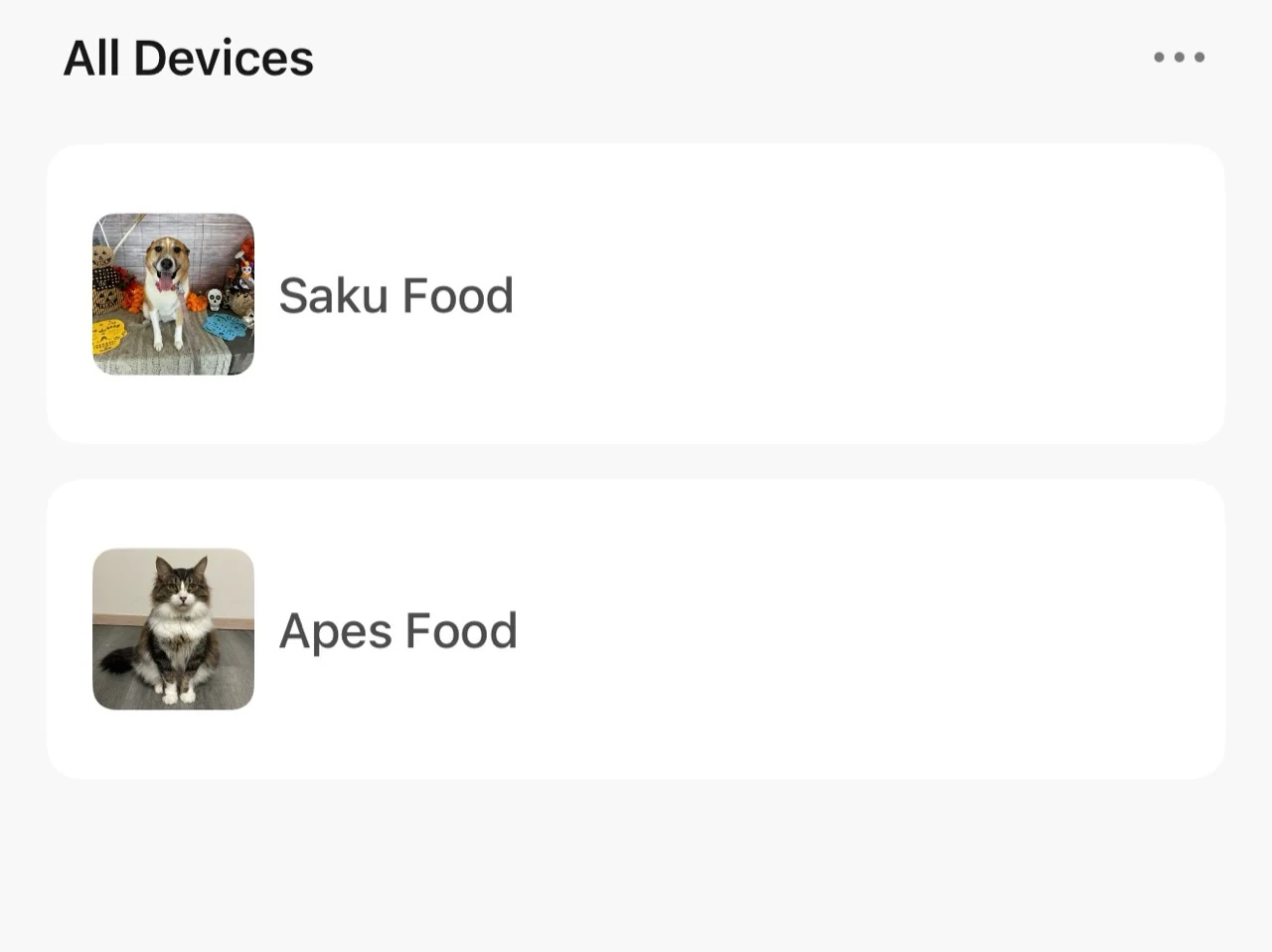
Sakura’s feeder also offers optional paid cloud and AI-related features in its app. I would check the current plan screen before subscribing. I am leaving prices and retention periods out because the options vary, and I do not want to turn a confusing list of monthly, annual, and multi-device plans into a misleading comparison. Cloud storage is not indestructible, and an AI-enhanced image is not extra evidence of what a pet actually did.
What I noticed during power outages
Our power has gone out a couple of times, and I have heard the feeder operate at its scheduled time. My reaction was basically, “Oh, it did it!” That was reassuring. I did not check the camera or live audio during those outages, and hearing the mechanism is not the same as checking the amount of food in the bowl.
I would keep backup feeding and an online camera as separate questions. Remote viewing depends on the network as well as the device, and I have not verified exactly which functions remain available on backup power for our units. Before relying on an outage plan, I would check the exact manual, fit the specified backup supply, and test what actually happens under supervision.
The easy cleaning, and the small jobs I still forget
Both have removable metal bowls that I can take out for washing. They look and feel like stainless steel, and I like how straightforward they are to clean. We have not had clogging problems with our food, but that is our experience with our kibble and settings. It is not a promise that every food size or shape will dispense successfully.
The feeders came with desiccant packs. I remember the replacement routine as roughly monthly, and remembering it is honestly the harder part for me. I would set a calendar reminder based on the instructions for the exact feeder and compatible pack. I have not verified one replacement interval for both models. Keep the pack in its designated compartment and away from pets; I would not put loose silica packets in the food.
The main improvement I would like is a dependable low-food warning. I have not had a useful low-food notification in our setup, so I still check the level myself. Sakura’s feeder has a small see-through section, which helps, but it does not remove the refill job. I would not assume that an app feature on another variant is present or enabled on mine.
My bowl-cleaning guide covers the ordinary cleaning routine. A large hopper does not make food indefinitely fresh, and a removable bowl still needs washing.
What our separate GALAYOU camera did better
Before relying mostly on the feeder views, we used the GALAYOU G2 indoor camera. I liked the image quality and still think it can make sense for someone who wants a room view. To my eyes, the images were comparable to the feeder cameras, sometimes better, but I did not measure or test that formally.
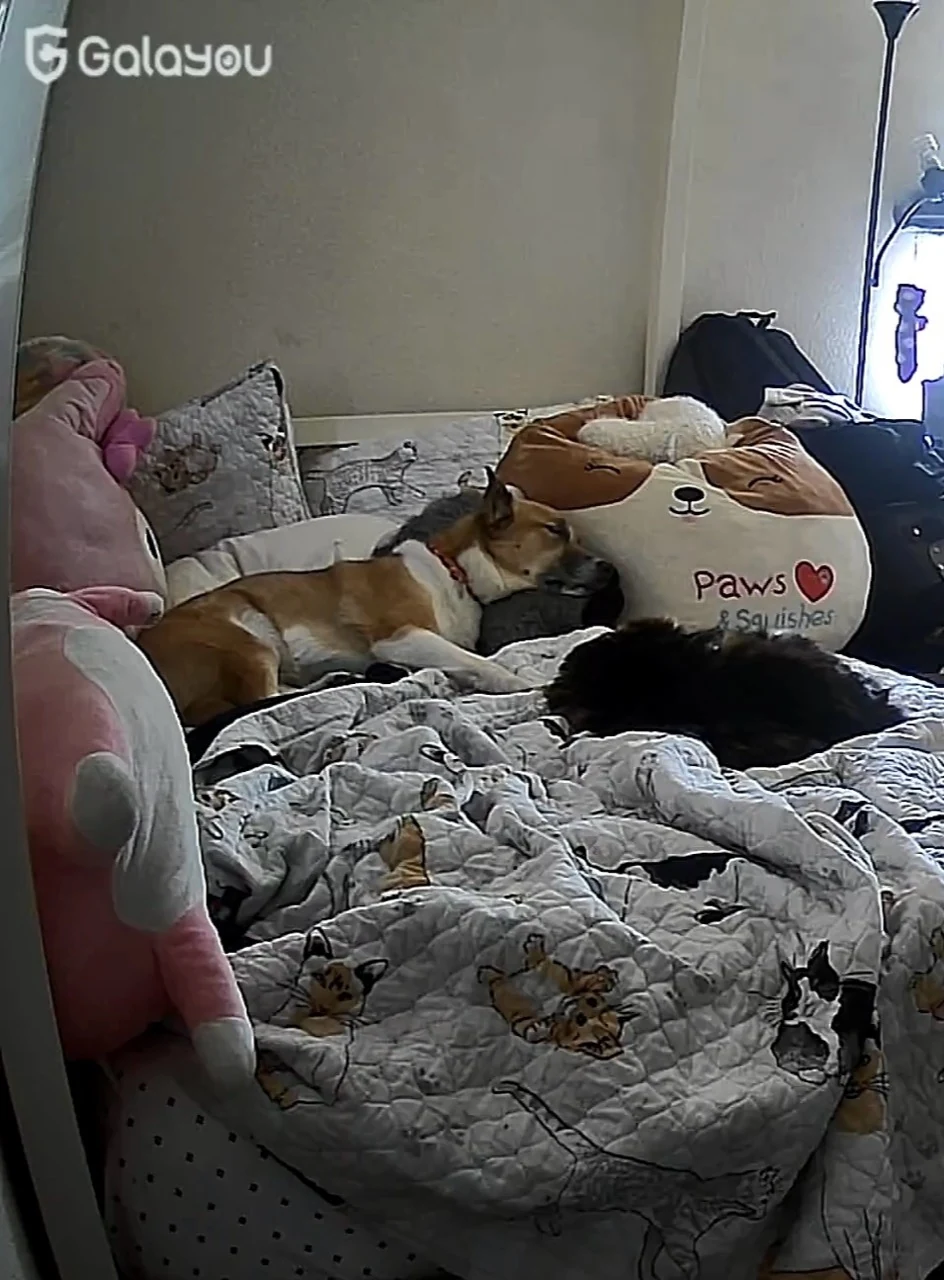
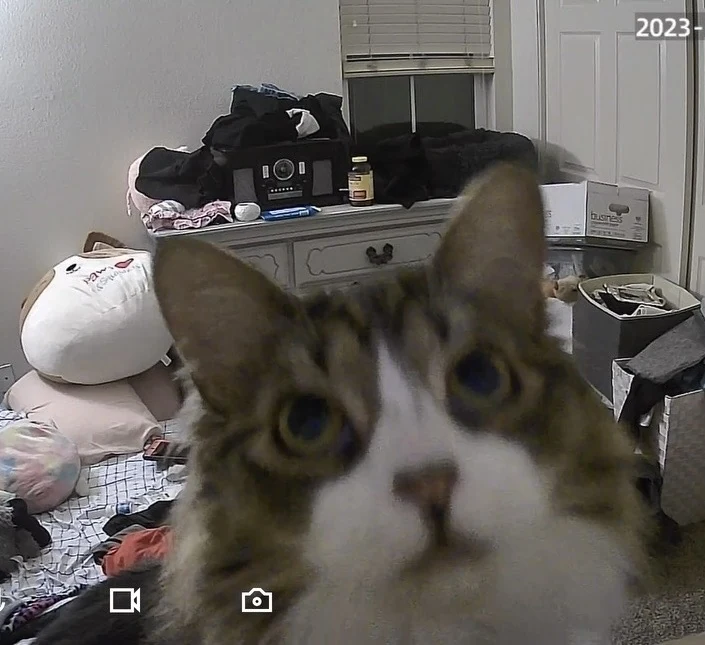
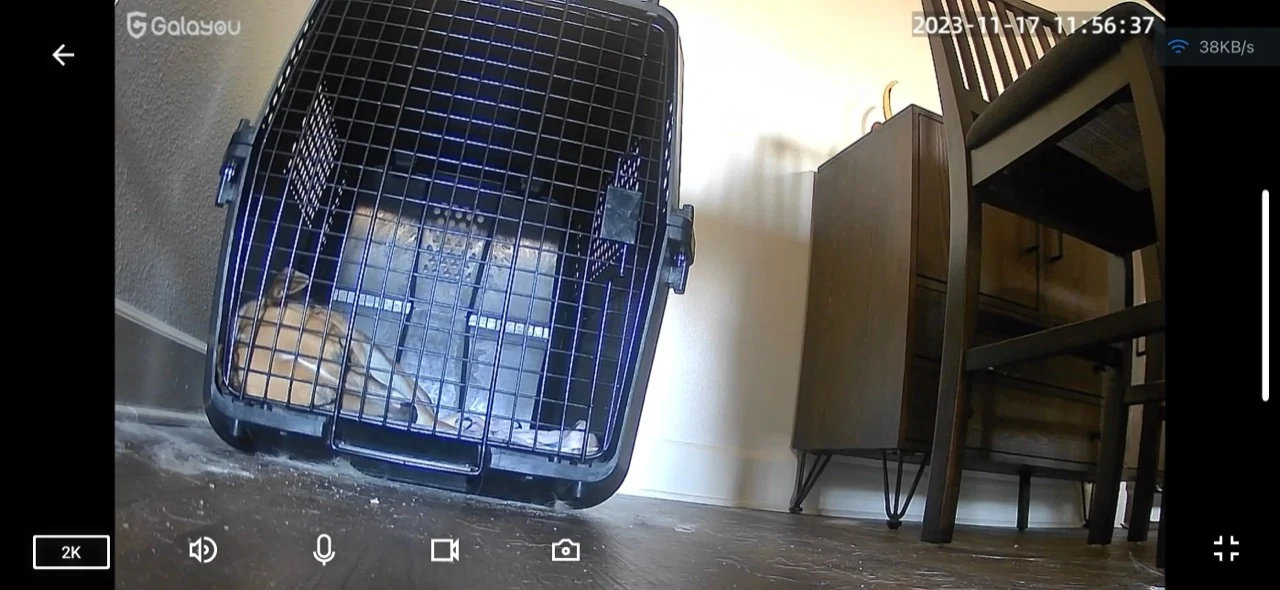
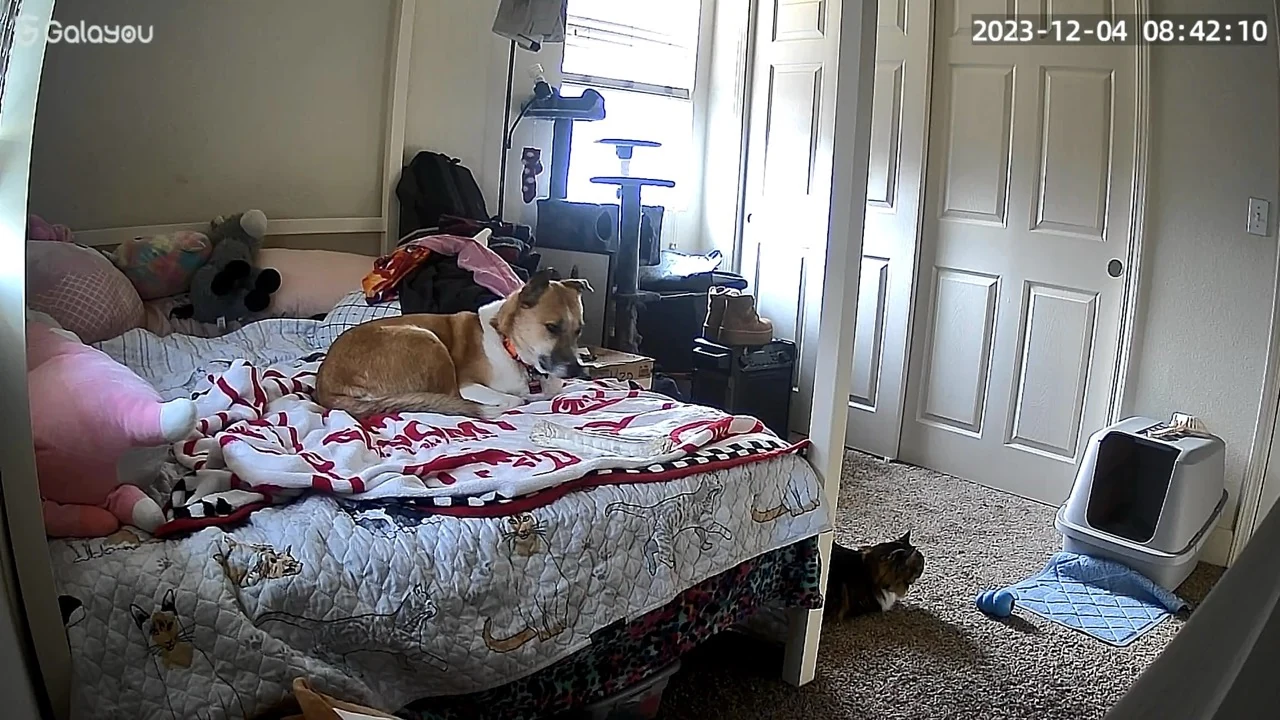
These are older captures, including images dated 2023. They show the difference in placement: I could see the bed, Sakura’s crate, and more of the surrounding room. When we first moved, that helped me check how Sakura was settling. A feeding-station lens would not necessarily show those same resting places.
What I disliked was reaching the end of the cloud trial, which I remember as 30 days, and having more recording of the room than I wanted in our configuration. That does not mean a subscription is required or that constant recording is unavoidable. The GALAYOU / Wansview Cloud manual covering G2 describes cloud storage as optional and separate from motion-alert and microSD functions. I would check the current settings and local-card requirements if setting one up again.
Which would I choose now?
For our routine, I prefer the combination of scheduled feeding and a camera near the pets. If I am delayed getting home or need to stop for gas, the meal schedule does not depend on me reaching the bowl at exactly the right moment. I still check that food was dispensed and eaten; a schedule or snapshot alone cannot answer both questions.
A separate camera makes more sense when the useful view is somewhere else, or when the existing feeding method already works. I would not change a pet’s food just to get an integrated camera. My wet-food feeder comparison covers a different feeding arrangement, and the camera guide looks more closely at recording choices.
Neither setup replaces someone checking food, water, and the pets themselves. I would leave a clear sitter handover and keep actual observations in a daily pet-care log. I would also tell household members and sitters about the camera and audio. For me, the best setup is the one that fits our feeding routine and gives me a useful view, with its limits understood.
A THOUGHTFUL SHORTLIST
Compare the options in this guide
These are the three devices discussed from our own use: Sakura’s black 15L elevated camera-feeder setup, April’s white MUBBI 7L camera feeder, and our previously used GALAYOU G2 room camera. A room camera does not dispense food. Availability below is Juni B’s report for the exact linked listings, not an independent live stock check.
15L elevated automatic dog feeder, black camera setup
Our scheduled dry-food meals and a view of Sakura at the bowl
My mom gifted us our feeders. We chose the raised version for Sakura with comfort in mind, and I like being able to tilt her camera. Elevation is an individual veterinary question, especially for a large, deep-chested dog.
What I like about the option
- Scheduled feeder operation was audible during power outages in our home.
- I can adjust the camera up and down and remove the bowl for washing.
What I’d weigh up
- I have not checked camera operation or actual dispensing during an outage.
- I still check food levels myself; a raised bowl is not suitable for every dog.
Juni B confirmed the exact 15L/63-cup listing title, black elevated camera setup, ownership and availability. Nityers publishes a closely matching 15L camera feeder, but model number and variant-specific backup details remain unconfirmed; do not transfer those specifications.
Availability confirmed by Juni B on November 18, 2026. Stock and delivery availability may change.
Check availability Exact owner-confirmed listing and Juni B’s experienceMUBBI 7L / 29-cup automatic cat feeder with camera
April’s dry-food schedule and a fixed view toward her bowl
April’s feeder has a locking top, a removable metal bowl, and a useful view of mealtime. I have enjoyed the motion snapshots and two-way audio. The fixed camera angle works for our feeding spot.
What I like about the option
- The locking lid is useful with my very food-motivated cat.
- We use motion snapshots, live audio, and a recorded meal sound.
What I’d weigh up
- I cannot tilt this camera like Sakura’s.
- I still check food levels, clean the bowl, and maintain the desiccant.
Juni B confirmed the exact 7L/29-cup camera listing title, ownership and availability. Reported camera/audio and cleaning experience is individual; no independently verified battery type, recording retention, or replacement interval.
Availability confirmed by Juni B on November 18, 2026. Stock and delivery availability may change.
Check availability Exact owner-confirmed MUBBI camera listing and experienceGALAYOU G2 indoor camera
A broader view of resting places and the room around the pets
I liked the picture quality and used it to check Sakura and April around the room. We eventually preferred our feeder views. The cloud trial ending was a drawback for me, but the manufacturer’s manual says cloud service is optional.
What I like about the option
- Our older captures show resting places beyond the feeding station.
- The manual describes local microSD recording separately from optional cloud service.
What I’d weigh up
- It does not feed pets and needs its own placement and power.
- Recording settings, card requirements, and current cloud terms need a separate check.
Juni B previously owned this exact camera. The official app manual includes G2 and states cloud storage is independent of SD-card and motion-alert functions; cloud service is not compulsory.
Availability confirmed by Juni B on November 18, 2026. Stock and delivery availability may change.
Check availability GALAYOU / Wansview Cloud manual, including G2